
Completing Team Evaluations
After completing a comprehensive evaluation, Assurance Review or Notice Visit, we invite peer reviewers to submit short surveys reflecting on your performance and the effectiveness of your team.
Survey data will help HLC customize Peer Corps training efforts, identify reviewers for future roles and recognition, and respond to areas of concern. Access to responses is limited to designated HLC staff members, and individual feedback will not be shared with the reviewee except when follow-up is needed (in which case the reviewer will be contacted in advance).
You will receive an email when surveys are available in Canopy, and they will be available for 30 days after the final team report is submitted.
Follow these steps to submit the surveys:
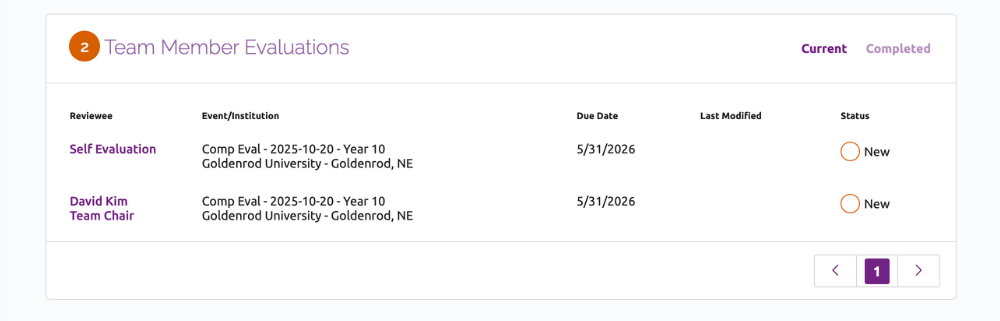
- After logging into Canopy, the available surveys will be listed under Team Member Evaluations on the peer reviewer dashboard.
Team members will have a self-evaluation and an evaluation for the team chair; team chairs will have a self-evaluation and surveys for each team member.
Click the name of the survey to open the form.
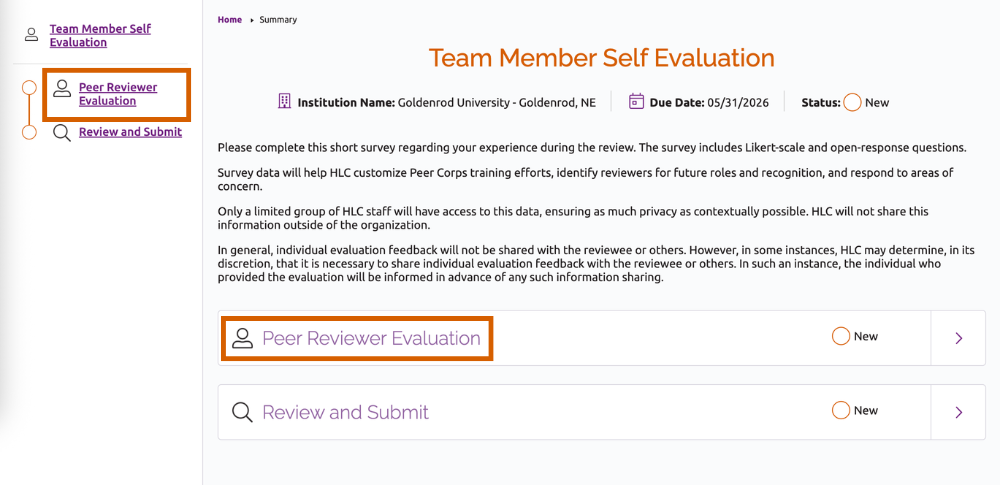
- On the form landing page, click Peer Reviewer Evaluation in the left navigation bar or in the main body of the page to open this section of the form.
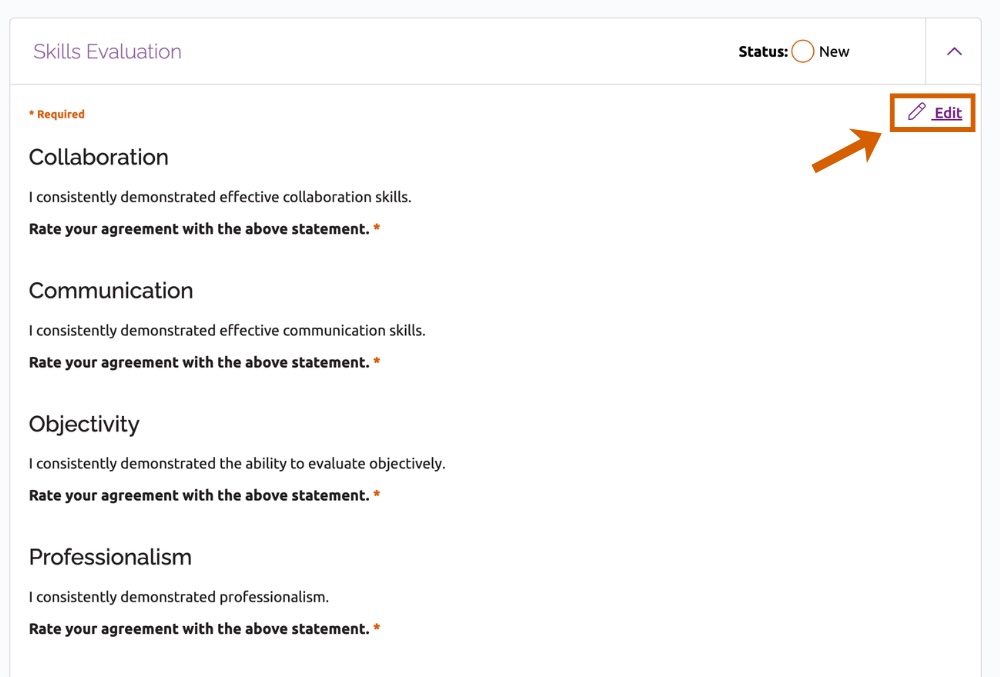
- Scroll down to the box titled Skills Evaluation. Click Edit in the upper right of the box.
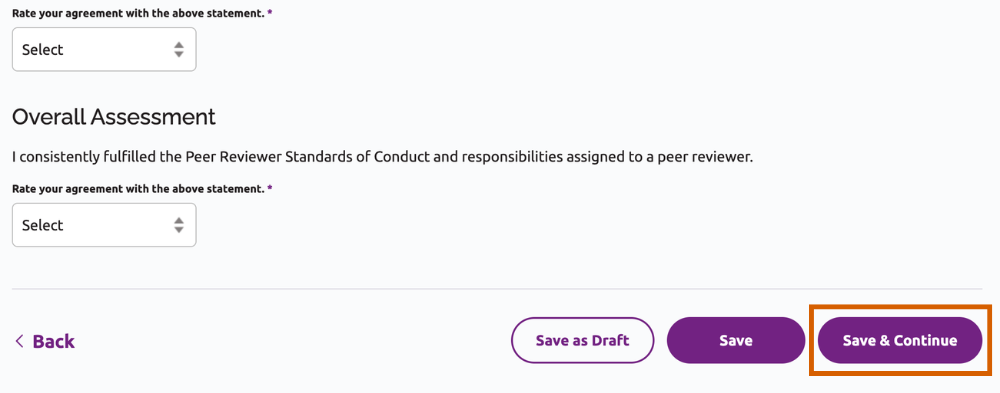
- Answer the five required, Likert-scale questions focused on the four categories of skills central to peer review. Click Save & Continue to save your response and proceed to the Additional Comments section.
- Add any additional explanation for your responses (1000 characters max). Click Review and Submit to continue to the next page.
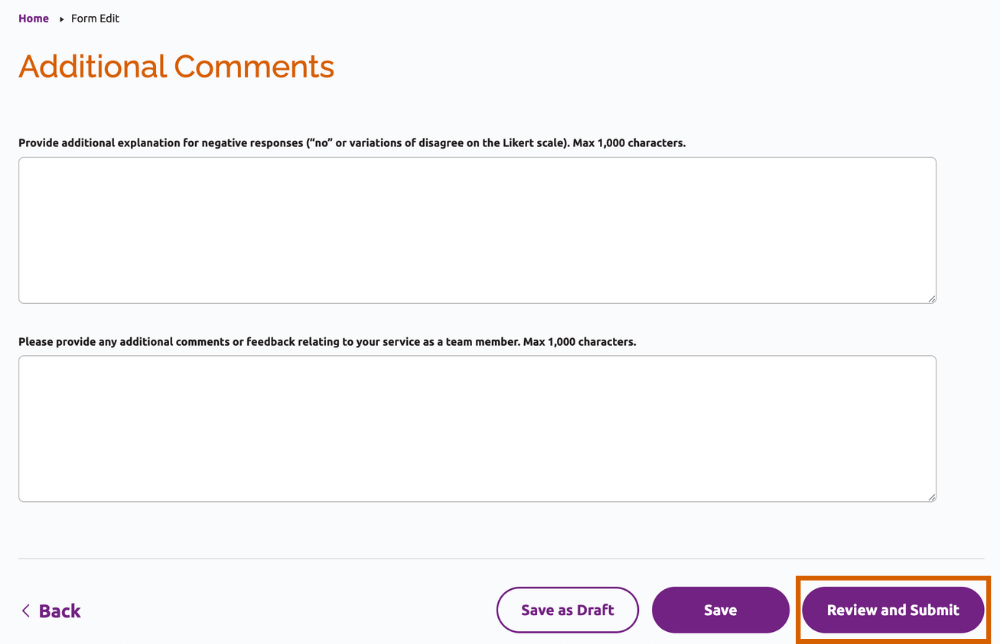
- At the bottom of the Review and Submit page, confirm that you understand how these responses will be used by checking the box and click Submit.
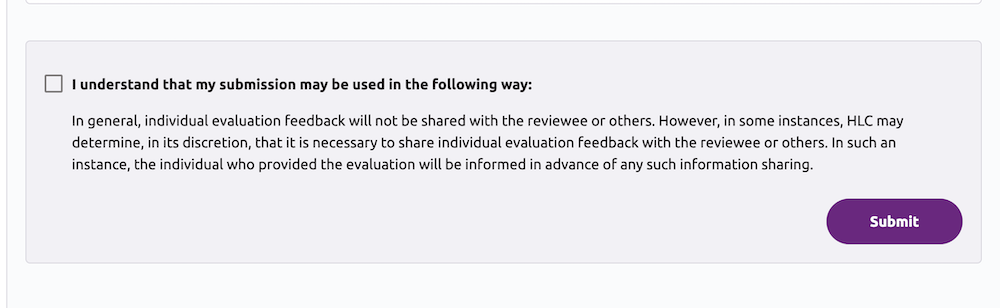
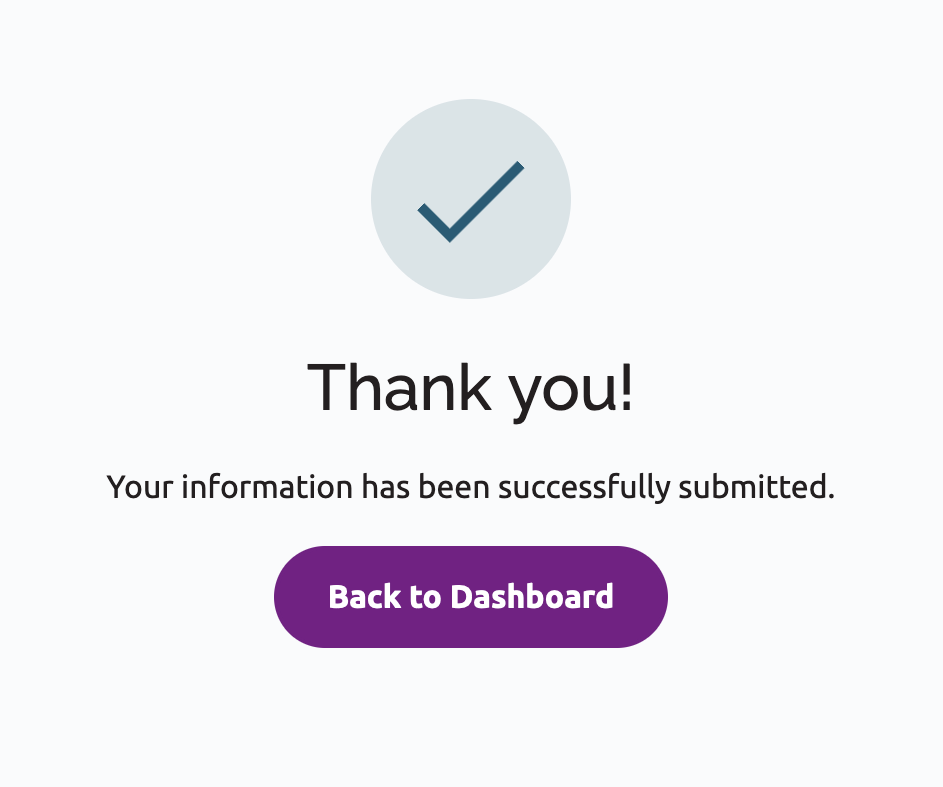
- In the dialog box that appears, click Submit again. You will see a message confirming the form was sent to HLC, and you will also receive an email confirmation.
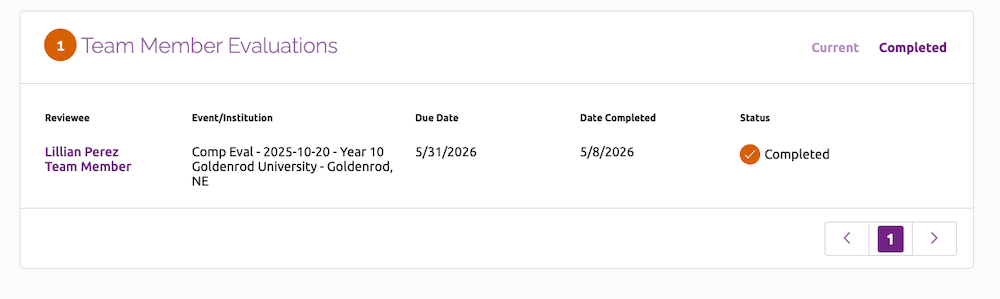
- If you return to the peer reviewer dashboard, the form will now be listed under the Completed tab of the Peer Reviewer Evaluations section.
- Continue to complete all of the available evaluations for your team. Once the due date has passed, the forms can no longer be submitted, so be sure to complete the surveys as soon as possible after your review!
User Guide Topics
All Users
Institutions
Peer Reviewers
Peer Corps Applicants

Related Resources

Questions?
Submit a Canopy Help Request