
Assurance Filing Addendum
During the peer review team’s evaluation, the team may request additional documents from the institution. The Primary Filing Coordinator will be notified via email when the team submits a request. Note: the team may submit multiple requests for documentation on different topics, if needed.
The primary or assistant coordinators will be able to upload the requested files to the Addendum section while the rest of the Assurance Filing remains locked to editing.
Upload Requested Files
Primary and Assistant Coordinators Only
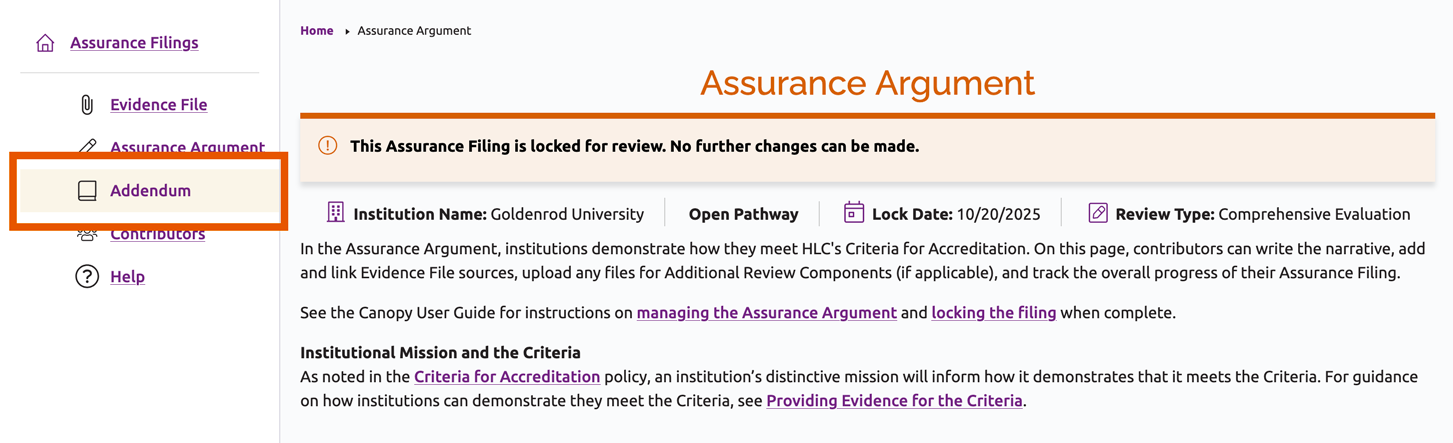
- Open the institution’s Assurance Filing and use the side menu to navigate to the Addendum section.
- Each request submitted by the team will be listed on the Addendum page. Navigate to the applicable request and click the Add Addendum File button.
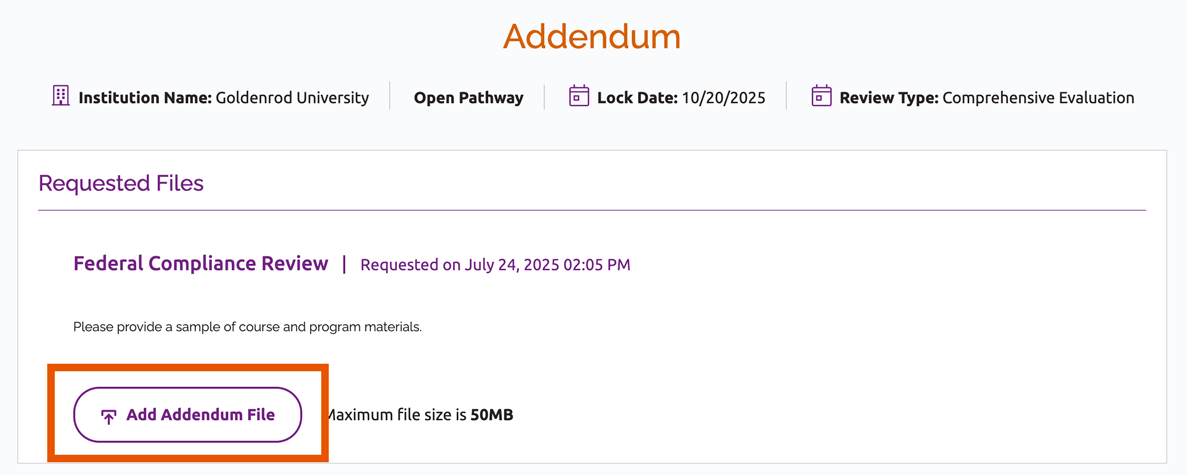
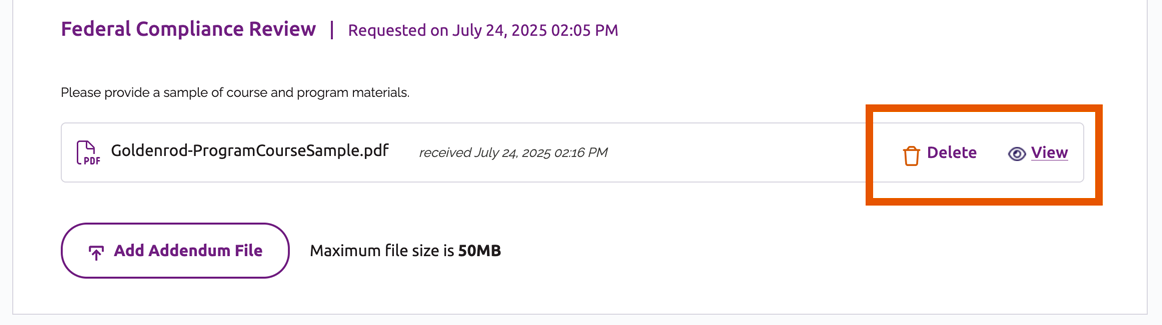
- Locate the desired file, select it and click “Open.” It will be listed under the applicable request.
- Click the “View” link to the right of the file name to open it in a new browser tab. To remove the file, click Delete.
Assurance Filing Instructions
User Guide Topics
All Users
Institutions
Peer Reviewers
Peer Corps Applicants

Related Resources

Questions?
Submit a Canopy Help Request